
Bible App for Kids
Life.ChurchEducation
4.419.67K Reviews
- Version
- 3.5.1
- Installs
- 100.00M
- Age Rating
- Everyone
Screenshots
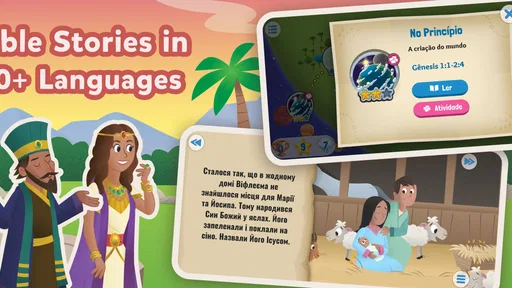
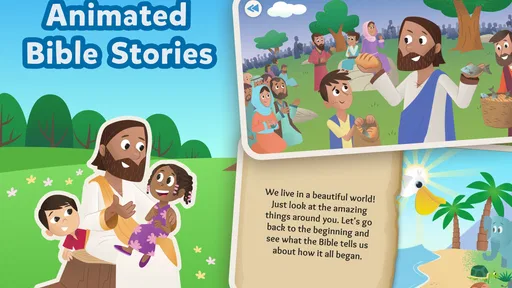
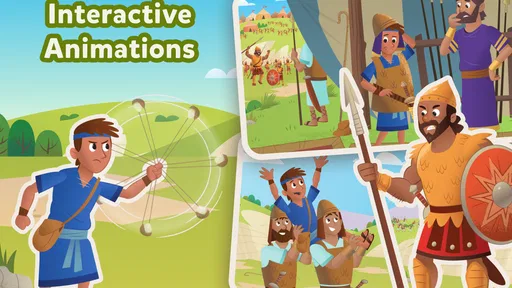
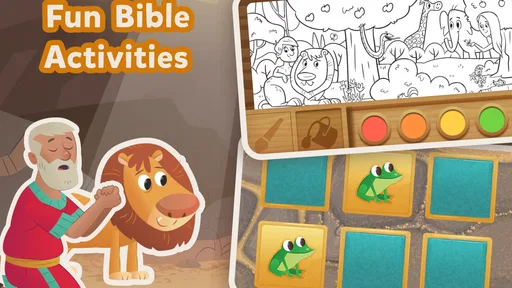
Our Review of Bible App for Kids
 Analysis by Appyee
When I look at a children’s story app, I pay attention not just to whether it holds a child’s interest, but to how easily different children and adults can follow along. Bible App for Kids is built around illustrated Bible stories, spoken narration and touch interactions, so it offers more than a page of text—but those same animated, sound-led choices will not suit every family or every moment. I see it as a useful shared activity when an adult can help set the pace, rather than a one-size-fits-all solution for independent reading.
A Whimsical Journey Through the Bible
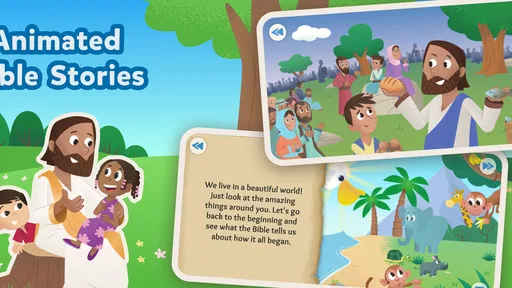
First things first, the Bible App for Kids is all about making those ancient stories come alive for the younger crowd. It’s like giving your kids a magical time machine to explore tales that have stood the test of time, all from the comfort of your living room.
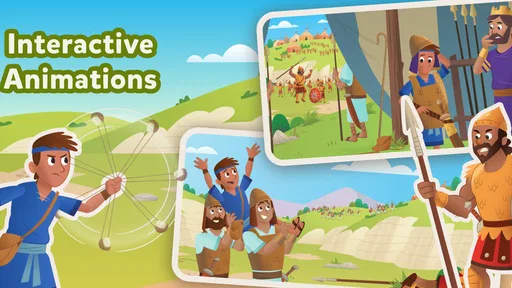
The interface is as vibrant as a box of crayons, with animations that pop and characters that seem to leap off the screen. It’s eye-catching and engaging, which is perfect because we all know how short attention spans can be, right?
Readable Stories, Simple Choices
The emphasis here is on pictures, animation and narration rather than long stretches of text. That can make a story easier to follow for a child who is still building reading confidence, or for a family member who would rather listen than read aloud. I’d still sit with a child the first time and see whether the pace and visual details make sense to them; a lively screen can help comprehension, but it can also compete with the story if a child is easily distracted.
For navigation, I find the story-by-story approach more approachable than handing a young child a full digital Bible and asking them to find a passage. The shorter pieces give a parent a natural stopping point, and they make it easier to choose one story for a brief shared break. An adult can help connect the episodes to a printed Bible or a family conversation when a child wants more detail than the app provides.
Interactive and Engaging Features
One of the standout features is the interactive nature of each story. Kids don’t just listen or read; they participate. They can touch the screen to make characters move, see objects transform, and even solve little puzzles along the way. It’s like a virtual playground where learning and fun go hand in hand.
The app covers a wide range of stories, from the creation of the world to the adventures of Moses and beyond. Each story is broken down into bite-sized, digestible chunks with colorful illustrations and playful narration. It’s designed to keep kids coming back for more, and trust me, they will.
Audio Narration and Sound Effects
Let’s talk about the audio for a moment. The narration is clear, friendly, and perfectly suited for little ears. It’s like having a personal storyteller at your beck and call, ready to whisk you away on a new adventure at any time of day. Plus, the sound effects add a layer of immersion that keeps the kids hooked.
Imagine the excitement when the Red Sea parts with a whoosh, or when the walls of Jericho come tumbling down with a satisfying crash. These audio cues not only enhance the storytelling but also help kids remember the stories more vividly.
Different Senses, Different Settings
Sound is a real strength when a child prefers listening to reading, but it also makes the app less convenient in quiet places. I would bring headphones for a waiting room or use it at home where the narration can be heard without disturbing anyone; either way, I’d check the volume before handing over the device. If a child is sensitive to motion, bright color or lively effects, I’d preview a story together and be ready to pause rather than assume the animation will feel relaxing.
Touch interaction gives children something purposeful to do, but it calls for accurate taps and a device they can comfortably hold. A younger child may need an adult nearby to help with navigation or to keep them from tapping ahead. That makes shared use a better fit than expecting every child to manage the app alone, especially if touchscreens are difficult for them.
Learning Through Play
What I love most about the app is how it sneaks in educational elements without feeling like a classroom. As kids engage with the stories, they’re also learning about morals, values, and history. It’s a gentle way to introduce concepts of faith and ethics, all while keeping the atmosphere light and playful.
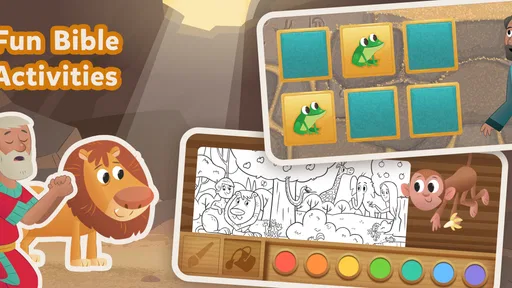
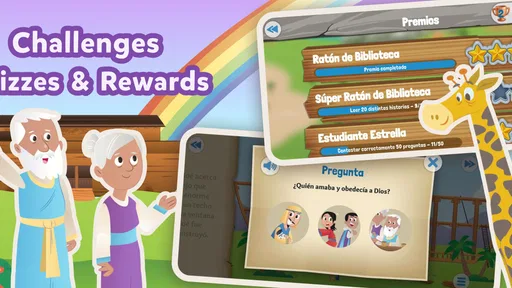
There are also quizzes and activities sprinkled throughout the app, so kids can test their knowledge and see how much they’ve absorbed. It’s a neat way to reinforce learning without any pressure.
Using It in Real Family Routines
A practical way to use the app is to make one story part of a short evening routine: a parent chooses the stopping point, the child listens and explores the scenes, and then they talk about one moment that stood out. That last step matters to me. The app can introduce a story, but a conversation lets an adult explain difficult events, answer questions, and relate the lesson to a child’s own experience rather than treating a quiz as the whole learning experience.
It can also work as a quiet shared activity while waiting for an appointment, provided sound is appropriate and the child has room to hold the device. Compared with a printed children’s Bible, it asks for more screen attention but offers narration and touch-led scenes. Compared with a general video, it gives the child moments to interact rather than only watch. A printed book may be the better choice for a screen-free bedtime, while a standard Bible app is more appropriate for an older reader who wants complete passages, study tools or a broader range of translations.
Who Benefits—and Who May Prefer Something Else
I’d recommend trying it with young children who enjoy animated stories and benefit from hearing words spoken as they follow the pictures. It can be especially handy for a caregiver who wants a ready-made starting point for talking about Bible stories without preparing a lesson. Life.Church developed this education app, and its focus is clearly on an accessible introduction for children rather than an adult study experience.
On the other hand, families looking for detailed scripture study, a quiet text-first reading experience, or a fully screen-free activity should choose a different tool for those needs. Children who find sound effects or moving visuals overwhelming may also prefer a book and an adult reading aloud. I would not treat the app as a replacement for conversation, a family’s own faith tradition, or a complete Bible; it works best as one engaging resource among those options.
Parent-Friendly Features
The app isn’t just a hit with the kids; it’s parent-friendly too. There’s a section where you can track your child’s progress, see which stories they’ve completed, and even set goals for them. It’s a handy tool for parents who want to be part of their child’s spiritual journey.
Plus, the app is free, which is always a win in my book. There are no hidden fees or pesky ads interrupting the experience, so you can rest easy knowing your little ones are in a safe, ad-free environment.
Practical Points Before You Start
The app is free and rated for Everyone, which makes it straightforward to consider for a family device. Its average rating is 4.3 from around 387,000 ratings, and it has passed 100 million installs. Those figures suggest broad use, but I would still judge the fit by watching how a particular child responds to the narration, activity and visual pace rather than assuming popularity means it suits every child.
It was released in 2013 and is currently at version 3.3.0, with support for operating systems from version 7.0. If you are setting it up on an older device, check that the device meets that requirement first. For a first session, I’d sit alongside the child, explore one story together, and decide whether the interactive elements help them stay with the meaning or pull their attention away. That small trial is more useful than setting a long screen-time goal before you know how the app works for your family.
Final Thoughts
All in all, the Bible App for Kids is a delightful blend of education and entertainment. It’s like having a colorful Bible storybook that talks back and invites you to play along. Whether you’re looking to introduce your kids to these timeless tales or just want a fun, wholesome app for them to enjoy, this one’s a no-brainer.
So, if you’re ready to embark on a biblical adventure that’s sure to captivate and educate, go ahead and give it a download. You might just find yourself sneaking a peek at the stories too! Until next time, happy exploring!
Privacy and Permissions
See what permissions an app requests and how it handles your data.
- Photos/Media/Files
- access USB storage filesystem, read the contents of your USB storage, modify or delete the contents of your USB storage
- Storage
- read the contents of your USB storage, modify or delete the contents of your USB storage
- Other
- view network connections, full network access, prevent device from sleeping
Verdict
Strengths of Bible App for Kids
- Engaging animations for kids.
- Interactive Bible stories.
- Simple, child-friendly interface.
- Free to download and use.
- Offline access available.
Limitations of Bible App for Kids
- Limited story selection.
- Requires in-app purchases.
- No parental controls.
- Advertisements may appear.
- Only available in select languages.
Other Releases by Life.Church
View All
YouVersion Bible App + Audio
Books & Reference4.9
Similar Picks in This Category
View All
Duolingo: Language Lessons
Duolingo4.7

Google Classroom
Google LLC2.8

Unacademy: Learn & Crack Exams
Unacademy3.2

Cake - Learn English & Korean
Cake Corp.4.7

Brainly: AI Homework Helper
Brainly4.5

Photomath
Google LLC4.3
You May Also Like
View All
Frequently Asked Questions
What age group is the Bible App for Kids suitable for?
The Bible App for Kids is designed for children aged 2 to 8 years old. It features engaging animations and interactive stories that cater to young minds, making it a perfect tool for introducing biblical stories in a fun and educational way. Parents can rest assured that the content is age-appropriate and safe.
Does the Bible App for Kids require an internet connection?
While the Bible App for Kids does require an internet connection for the initial download and updates, most of its features can be accessed offline once downloaded. This allows children to enjoy the app’s interactive stories and activities without needing a constant internet connection, making it ideal for travel or areas with limited connectivity.
Are there any in-app purchases or ads in the Bible App for Kids?
The Bible App for Kids is completely free to download and use, and it does not contain any in-app purchases or ads. This ensures a safe and uninterrupted experience for children, allowing them to explore Bible stories without exposure to external advertisements or unexpected charges.
What features make the Bible App for Kids engaging for children?
The app includes interactive animations, colorful illustrations, and engaging narration to captivate young users. It also offers fun activities and challenges that reinforce the stories, helping children to learn and retain biblical lessons in an enjoyable way. These features are designed to keep children engaged and eager to learn more.
Can parents track their child's progress within the Bible App for Kids?
Yes, the Bible App for Kids includes features that allow parents to track their child’s progress and see which stories they have completed. This helps parents engage with their children’s learning journey and discuss the biblical stories together, fostering a shared experience and deeper understanding.
